
Survey Toolkit
Every survey tool.
One download. Always up to date.
One download installs Excel to KML, RoadPro, Traverse & Level, Project Folder Manager, Slope Calculator and Auto Drafting, and keeps every one of them up to date by itself.
Free · Windows 10 and 11 · Version 1.1.3
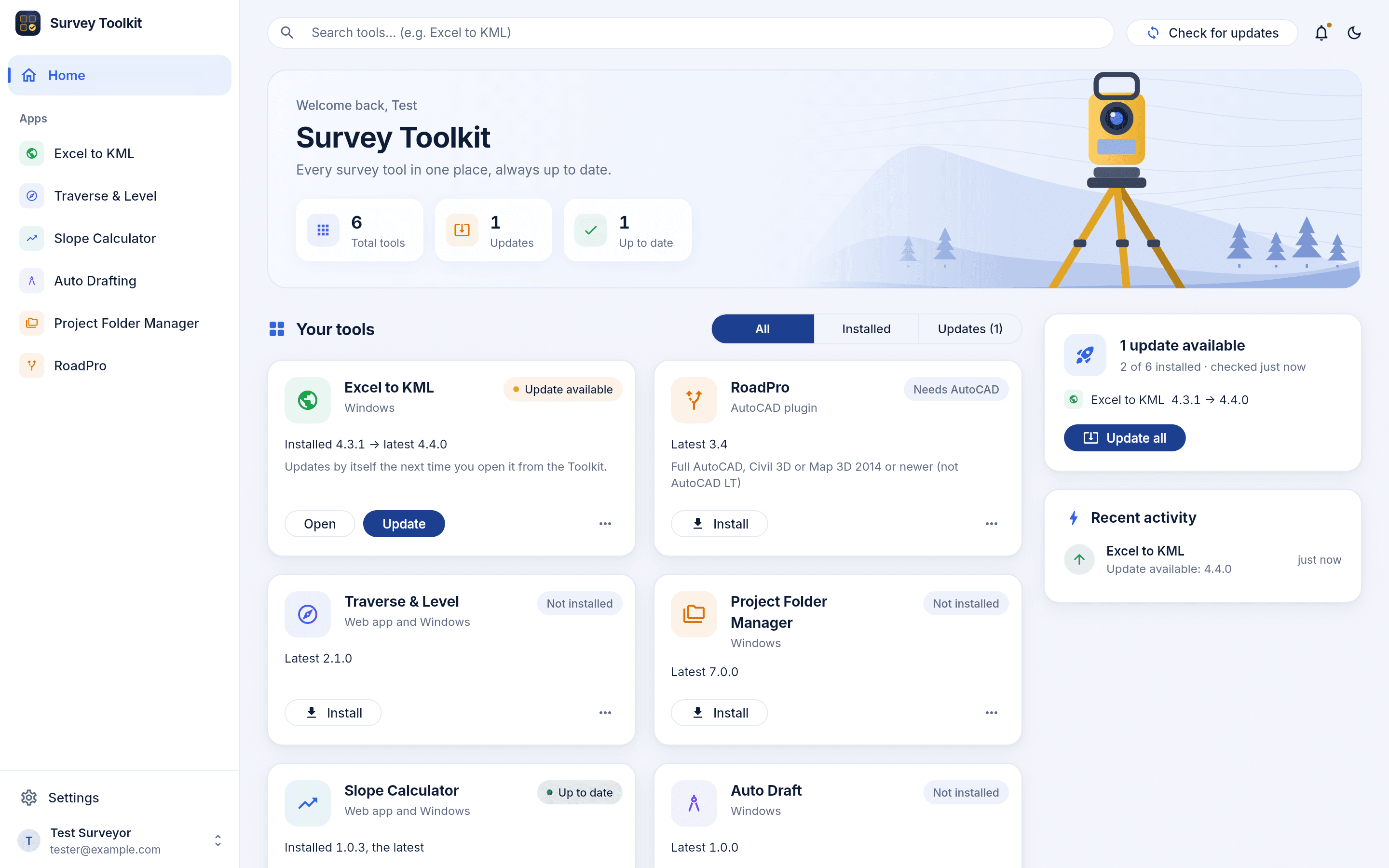
Six tools, one download
Install only the ones you need.
Official installers only
Each checked by its SHA-256 first.
No administrator rights
Installs for you alone, like an app.
Updates by themselves
Checked when it opens and every 4 hours.
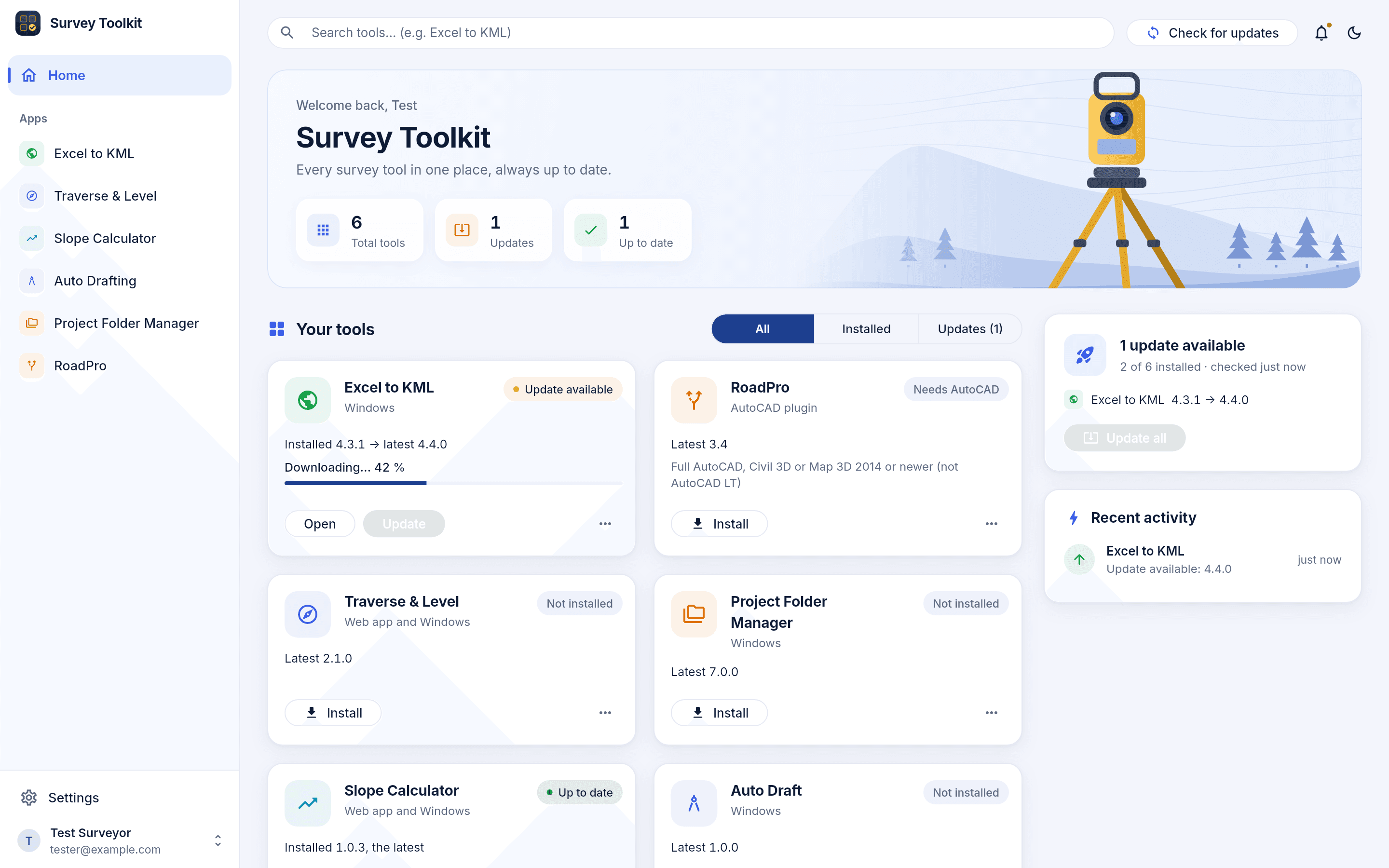
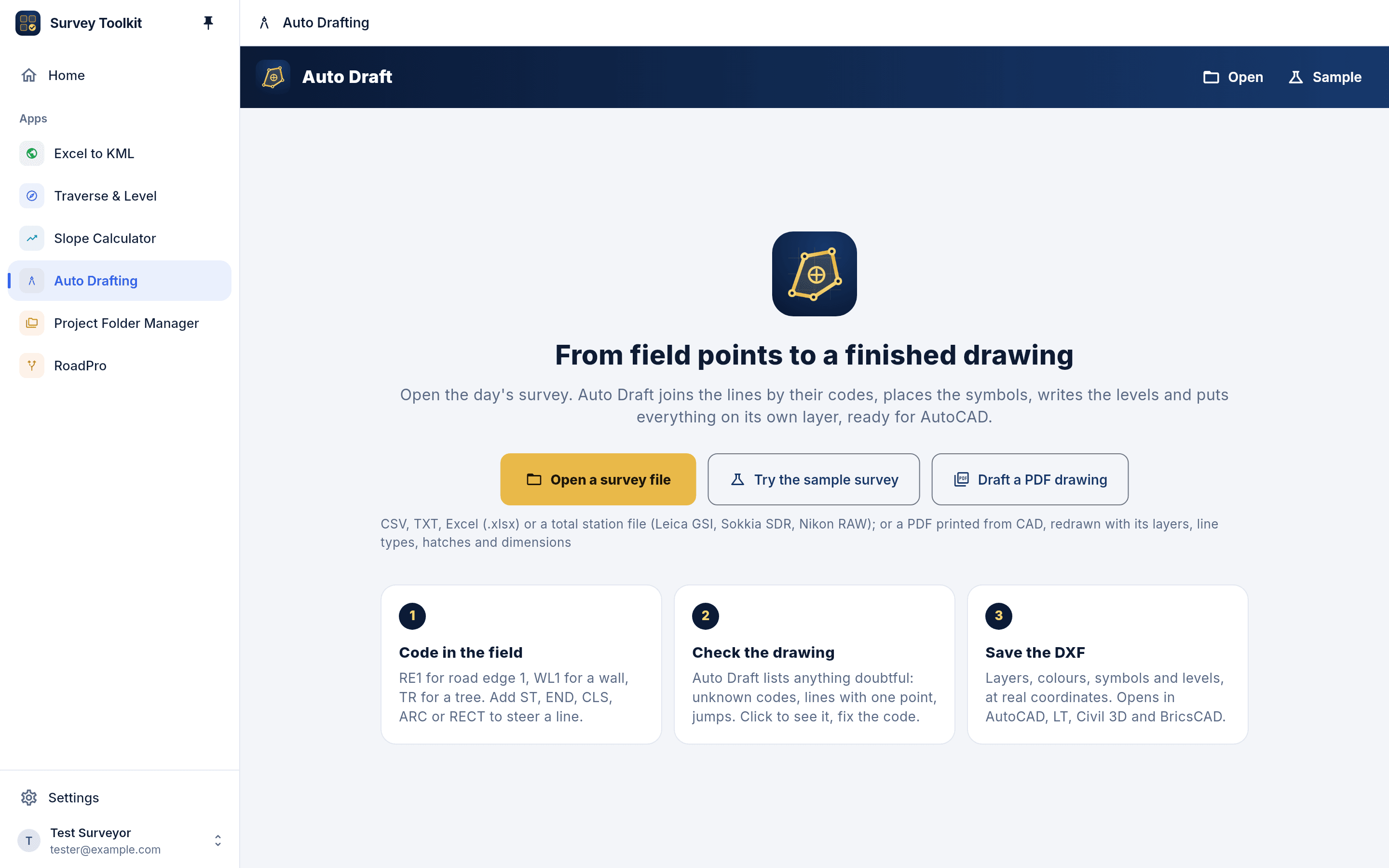
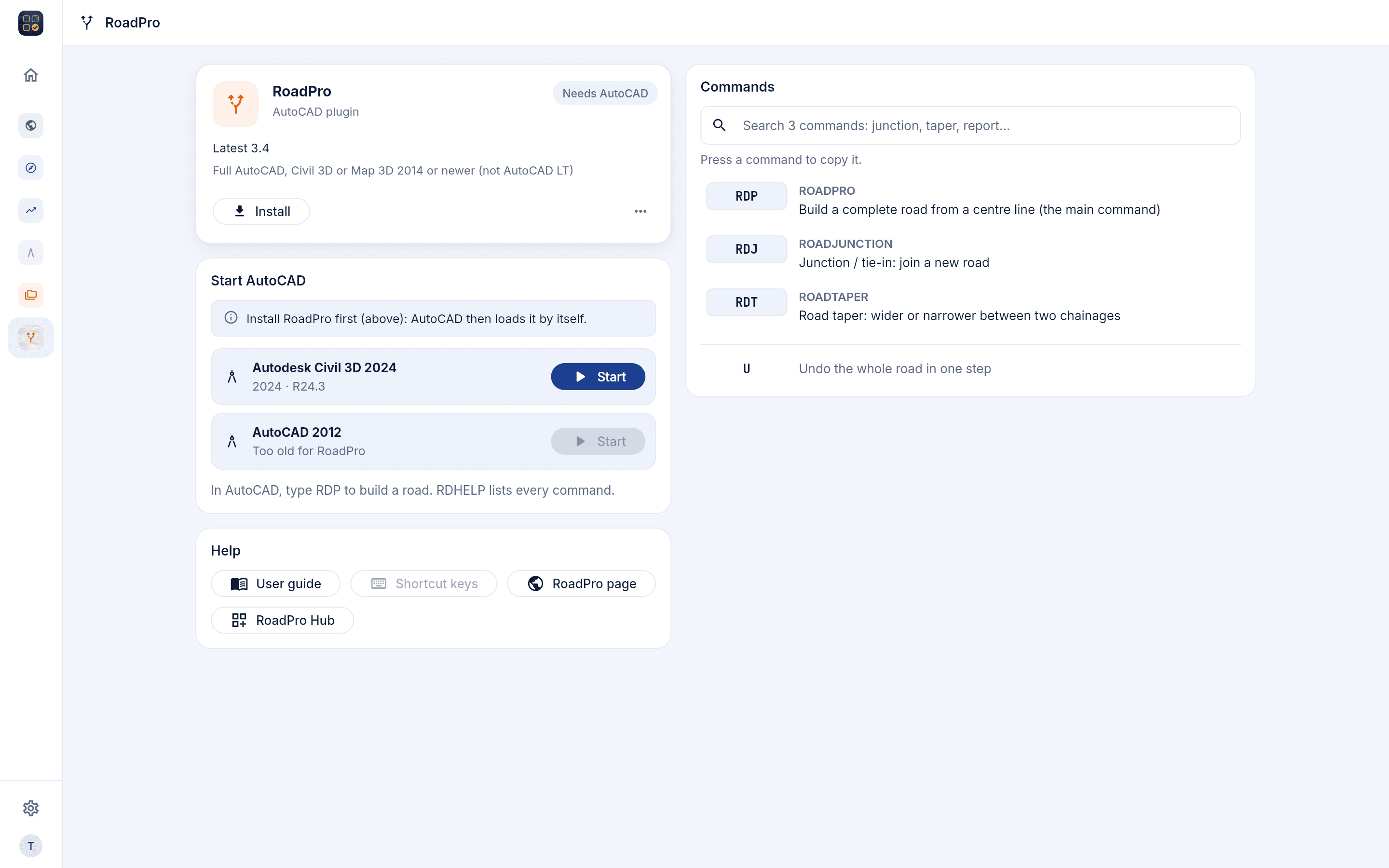
Take a look
One program for all your survey software
Real screens of the Survey Toolkit on Windows.
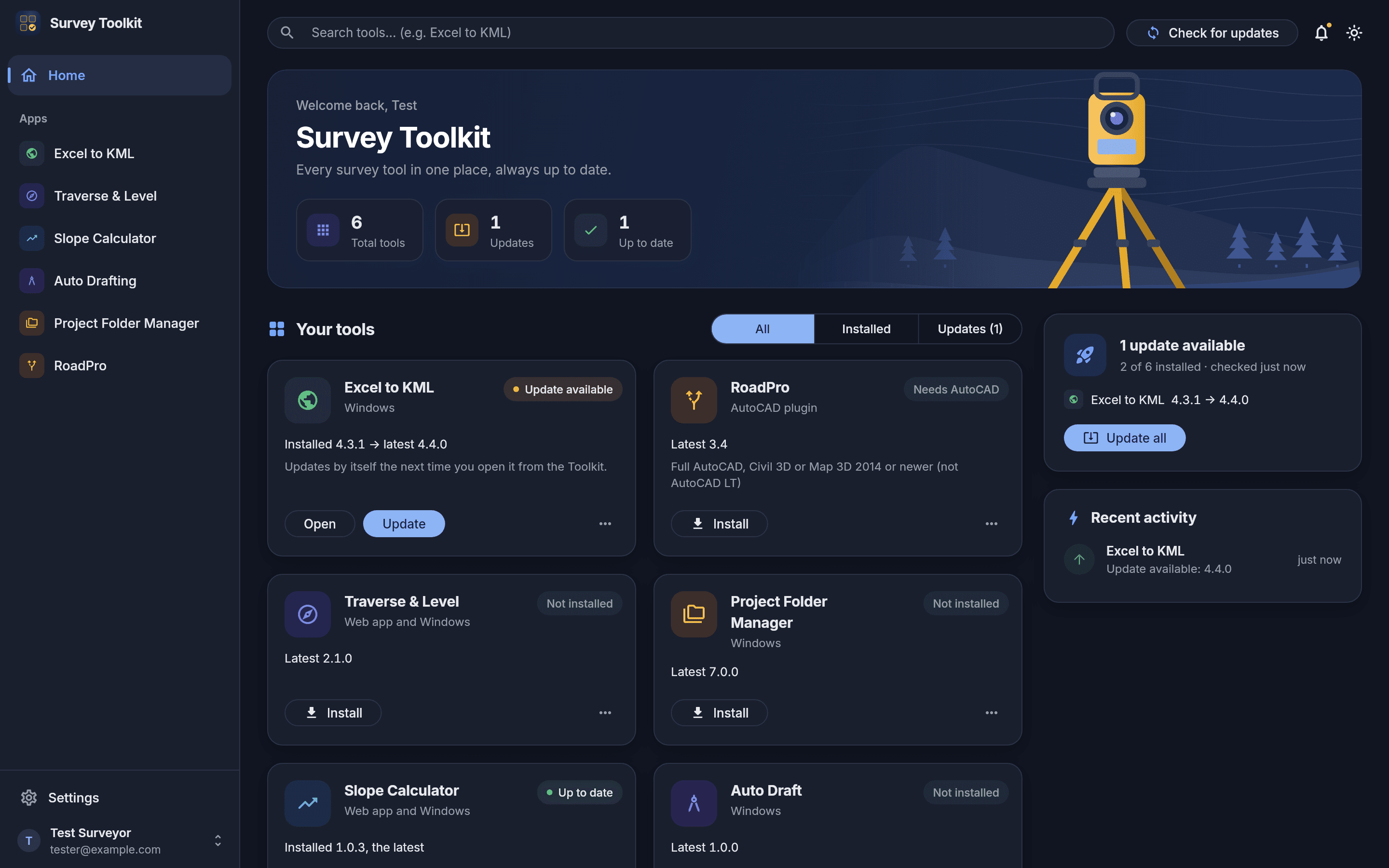
Updates that install themselves
The official installer is downloaded and checked by its SHA-256, then installed, never while the tool is open.
The tools
Everything you use on site and in the office, in one place
The Toolkit installs each one with its own official installer and keeps it current. Already have some of them? It finds them.
- v4.5.1
Excel to KML
Windows 64-bit
Survey coordinates from Excel or CSV, on 5,800+ EPSG grids, into Google Earth KML, KMZ and DXF.
- Site photos and PDF reports
- Levels, boundaries and areas
- On Windows and in the browser
- v3.6.1
RoadPro
AutoCAD plugin
A complete road in AutoCAD from one centre line.
- Edges, turning radius, barricades and signs
- Chainage, cross sections and widening
- An Excel report of the road
- v2.2.2
Traverse & Level
Web app and Windows
Traverse and levelling, in the browser or on Windows.
- Bowditch, Transit, Equal or least squares
- Rise & Fall or HI level books
- PDF reports and Google Earth export
- v7.0.0
Project Folder Manager
Windows
One screen for your project's master folder.
- Every module from Admin to Archive
- Instant search, copy, move and bulk rename
- Drive space at a glance
- v1.1.1
Slope Calculator
Web app and Windows
Slope, gradient and the level at every chainage, from two levels and chainages.
- A live profile and crossfall
- A level book with checks
- Excel, PDF and CSV reports
- v1.0.3
Auto Drafting
Windows
Field-coded survey points to a finished CAD drawing, in minutes.
- Lines, symbols and levels from the codes
- Contours that bend at breaklines
- DXF, PDF on a sheet, and KML
All six, kept up to date
One program looks after them: what is installed, what is new, and the update, with nobody pressing anything.
What's new
The latest of every tool, installed for you
Each new version arrives through the Toolkit by itself. Here is what came out most recently.
RoadPro
v3.6.1 NewRoadPro 3.6.1: RoadPro Setup and automatic updates
- RoadPro Setup: one installer for RoadPro Hub and the AutoCAD plugin, with no administrator rights; it replaces any older RoadPro by itself
- Automatic updates: RoadPro Hub checks for a new version when you open it and once a day, then downloads, checks (size and SHA-256) and installs it in one click; the previous version can be restored
- AutoCAD tells you at start-up when an update is waiting; the new command RDHUB opens RoadPro Hub for updates, repair, the user guide and the shortcut keys
Project Folder Manager
v7.0.0Project Folder Manager v7.0.0
- MANUAL in the top bar (or F1) explains every part of the program, topic by topic: getting
- Open a drive or any folder. The start page shows your drives with their free space; one
- The list follows the disk by itself. Folders made, renamed or deleted in Explorer show up
How it works
Three steps, then you can forget about updates
Step 1
Download the Toolkit
One installer for Windows 10 and 11. No administrator rights needed.
Step 2
Pick your tools
Home shows what is already on your PC and what is new. Install the rest with one click.
Step 3
Updates arrive
New versions install by themselves, never while a tool is open, and a notification says so.
Safe by design
It installs only what it should, and tells you what it does
Every step is checked, and nothing of your work ever leaves your PC.
Official installers
Every download comes from exceltokml.com or our own GitHub releases, over HTTPS.
Checked before it runs
Its SHA-256 must match the published one. If it doesn't, nothing is installed.
Your PC, your choice
Installed for you alone, no administrator rights. Removing the Toolkit keeps your tools.
Nothing of your files
It tells us only this PC's name, Windows version and tool versions, so we can see updates arrive.
Reviews
What surveyors say
Real reviews from people with an account, after using our programs.
- Auto Drafting
“Excelent work.”
Asjad M. · Samsung c & t.v1.0.1 · 17 Nov 2026
- Traverse & Level
“super”
TOUSEEM K. · Surveyorv1.1.0 · 7 Nov 2026
- Traverse & Level
“Excelent”
System A. · Excel to KML Pro Core Teamv2.0 · 2 Nov 2026
- Slope Calculator
“perfect”
Kashif a. · constructionv1.0.3 · 2 Nov 2026
- RoadPro
“excellent..”
Kashif a. · constructionv3.4 · 2 Nov 2026
- Slope Calculator
“Excelent”
Asjad M. · Samsung c & t.v1.0.3 · 31 Oct 2026
- RoadPro
“Nice”
Asjad M. · Samsung c & t.v3.4 · 25 Oct 2026
- Excel to KML
“Excelent.❤️❤️❤️❤️❤️❤️❤️”
Asjad M. · Samsung c & t.v4.4.0 · 24 Oct 2026
- Traverse & Level
“Excelent and good work”
Asjad M. · Samsung c & t.v2.1.0 · 24 Oct 2026
What you need
Requirements
- Windows 10 or 11, 64-bit
- Microsoft Edge WebView2, built into Windows 11 and an up-to-date Windows 10
- An internet connection to install and update (the tools work offline as usual)
- Your free Excel to KML account
- For RoadPro: full AutoCAD, Civil 3D or Map 3D 2013 or newer (not AutoCAD LT)
Questions
Good to know
Is it free?
Yes. The Toolkit is free, like the tools it installs.
Do I need an account?
Yes, your free Excel to KML account, the same one you use on this website and in the web apps.
I already have some of the tools. Will they be installed again?
No. The Toolkit finds what is on your PC and only updates it when a new version comes out.
What if a tool is open when an update arrives?
Nothing happens to it. The update waits and installs once you close the tool.
Can I stop the automatic updates?
Yes. Set any tool to Ask me, and it is only updated when you press Update.
Does it work offline?
Your tools work as usual. The Toolkit shows what it knew at its last check and catches up when you are back online.
Windows says it protected my PC. Is the Toolkit safe?
Yes. Windows SmartScreen shows that for new programs it hasn't seen often. Press More info, then Run anyway. Every tool the Toolkit installs is checked against its SHA-256 fingerprint first.
How do I remove it?
Windows Settings, Apps, Survey Toolkit, Uninstall. Your tools stay installed; the Toolkit's own settings and sign-in go with it.
Every survey tool. One download.
Always up to date.
Free · Windows 10 and 11 · Version 1.1.3